How it works
Five steps, one place to run the label.
From signing an artist to paying them. Every screen below uses example data, not a real label’s records.
- 01Releases
Prepare releases without the spreadsheet.
Keep titles, artwork, catalogue numbers and barcodes in one catalogue, and check a release is ready before it goes out.
Paste a link. Let autofill do the work.
Paste a Spotify, Apple Music or Deezer link — or a barcode — and Fannera brings in the details it can find, such as title, artist, artwork, release date and track list, for you to review before saving.
- Catalogue and UPC
- Draft and published
- Track lists
ReleasesExample data
- 02Artists
Get your roster organised.
Add every artist once, with their releases, contacts and agreements attached. No more digging through folders and message threads.
- Artist profiles
- Release counts
- Contract templates
ArtistsExample data
- 03Fans
Own the relationship with your fans.
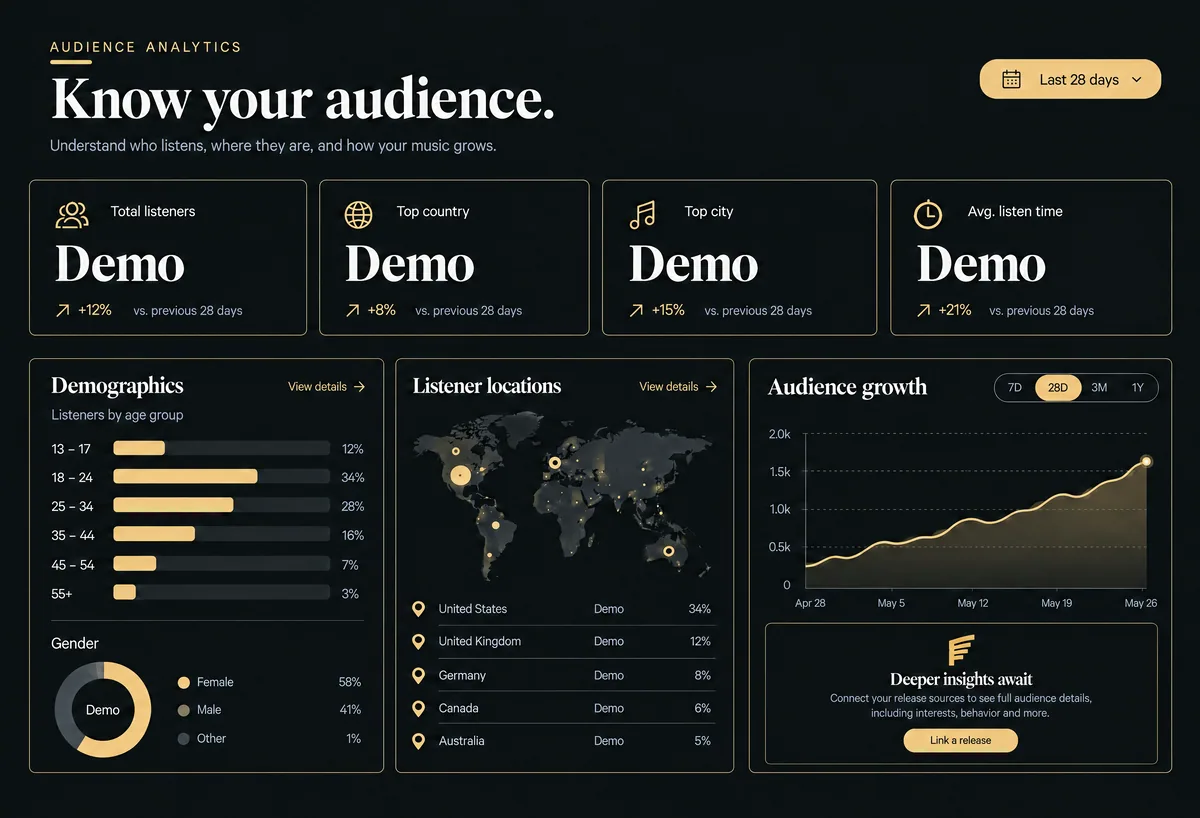
Capture fans from your own links and pages, then see who they are, where they came from and which ones keep coming back.
- Fan records
- Sources and cities
- Audience view
FansExample data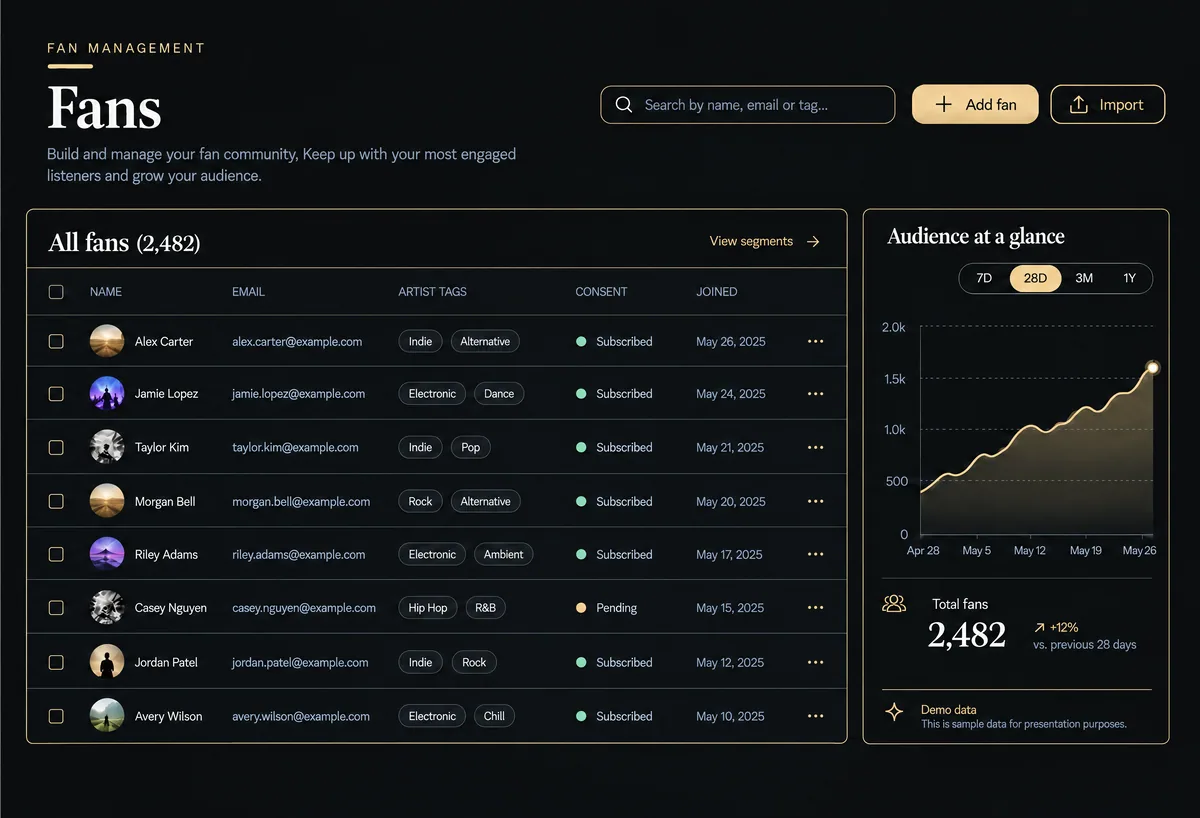 AudienceExample data
- 04Promotion
Promote a release to the people who care.
Build release links and capture pages for each campaign, then email the fans who asked to hear from you.
- Smart links
- Capture pages
- Email broadcasts
BroadcastsExample data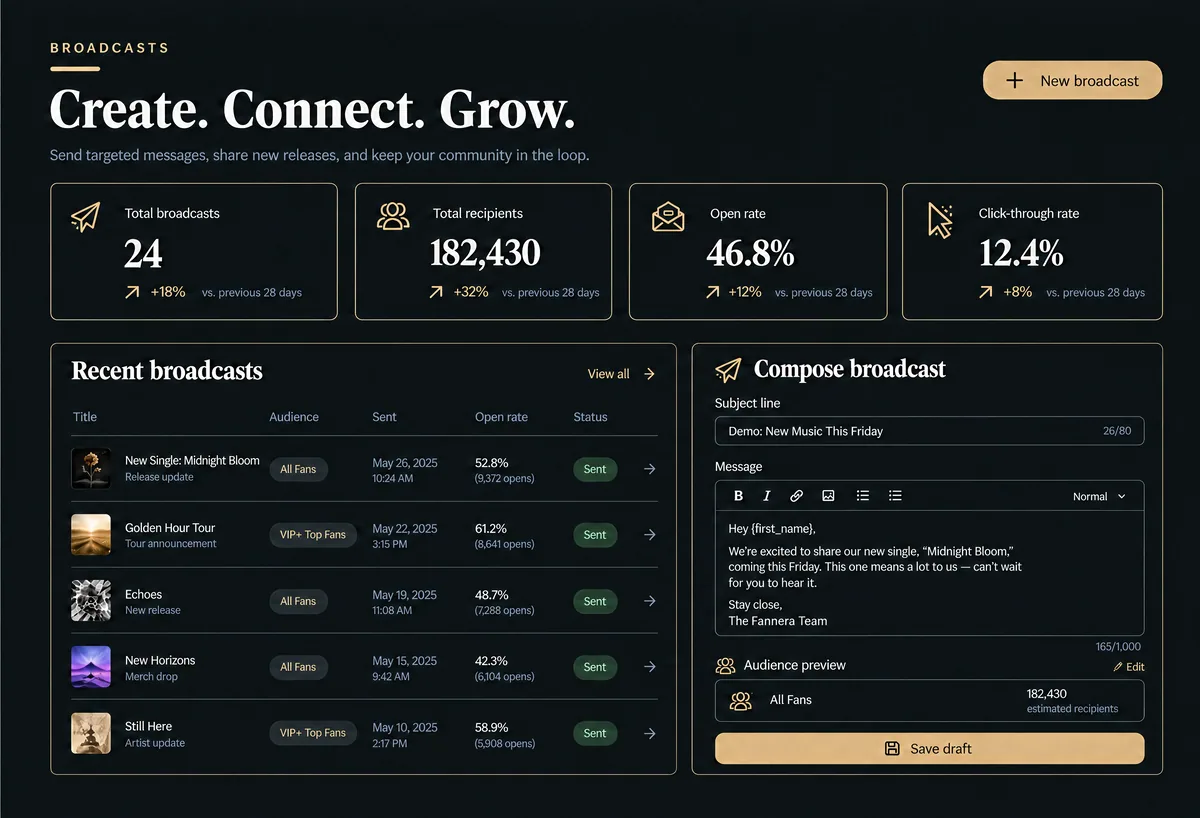
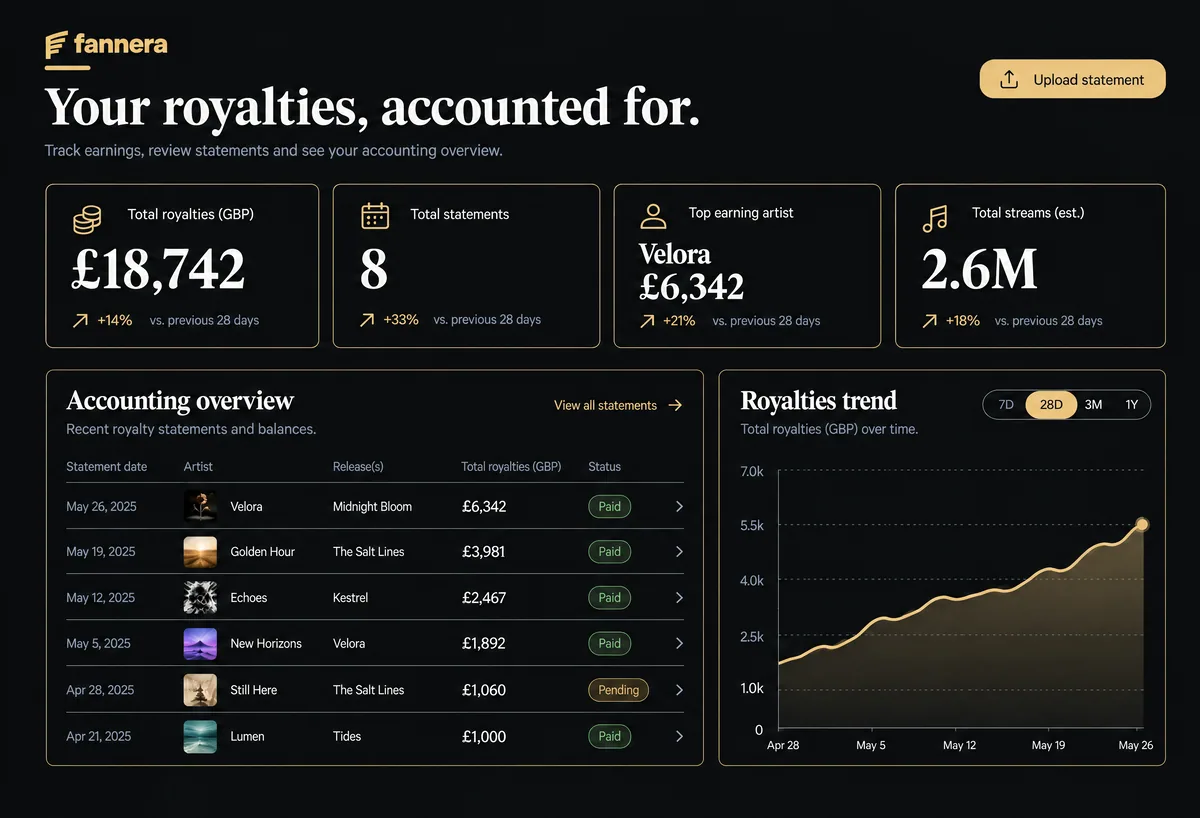
- 05Royalties and business
Know where the money went.
Record revenue, splits and recoupment so statements add up, and keep label costs alongside them.
- Royalty statements
- Splits and recoupment
- Label costs
RoyaltiesExample data